The "Ralph Wiggum Method": Why I Built an Infinite Loop on Purpose
A checklist-driven while(true) loop that uses an LLM to chew through documentation, refactors, and tech-debt tickets—reliably and repeatably.

 20 mins read
 02 Feb 2026
Most developers take every possible measure to avoid infinite loops. They’re the stuff of nightmares—frozen browsers, crashed servers, and spinning beach balls of death.
I built a side project specifically to run one.
It’s called Doc Loop, but the philosophy behind it is what I call the "Ralph Wiggum Method." If you know The Simpsons, you know Ralph. He isn’t the sharpest tool in the shed, but he is blissfully, relentlessly persistent.
"Me fail English? That’s impossible!"
I realized that when it comes to tackling massive mountains of technical debt, I didn’t need a genius AI architect with a PhD in computer science. I needed a Ralph Wiggum.
The problem with being too smart
There is a lot of buzz right now around sophisticated AI agents—frameworks with complex planning capabilities, tool orchestration, and multi-step reasoning.
These are amazing, but they have a fatal flaw when applied to boring, repetitive work: they get tired, they lose context, and they overthink.
I needed to document a large codebase and refactor legacy code at my company, re:cinq. A single chat session with Claude (or any LLM) has limits. Context windows fill up, rate limits kick in, and the model eventually hallucinates or forgets the original goal.
I needed an engineer who never sleeps, drinks no coffee, and communicates entirely via checkboxes.
Enter the loop
The solution was almost embarrassingly simple. Instead of building a complex orchestration layer, Doc Loop works on a primitive while(true) loop.
The entire architecture:
- Read a
progress.mdfile (a simple checklist). - Do the next unchecked item (using Claude).
- Check the box.
- Repeat.
That’s it. No hidden state. No complex recovery logic.
// Conceptual sketch
while (true) {
  const next = readNextUncheckedItem("progress.md");
  if (!next) break;

  runClaude(next);
  checkOff("progress.md", next);
}
How it looks under the hood
Each job lives in its own folder, keeping things isolated and clean:
jobs/document-my-codebase/
├── project.md       # Points to the target repo & context
├── progress.md      # The shared checklist (the "brain")
├── prompt/          # Instructions for Claude
├── result/          # Generated output
└── logs/            # Iteration history
In every iteration, the AI wakes up, looks at progress.md, sees what needs doing, does it, marks it as done, and goes back to sleep.
Why "dumb" works better
This approach turns out to be a superpower for three reasons:
- Fresh context: Because the loop restarts each time, the AI never becomes confused by prior conversation history. If it messes up
config.js, that error doesn’t bleed intofile-utils.js. - Resilience: If the API crashes or rate limits are reached, the loop pauses and retries. It doesn’t panic; it just waits. Adaptive delays back off automatically and speed up when things recover.
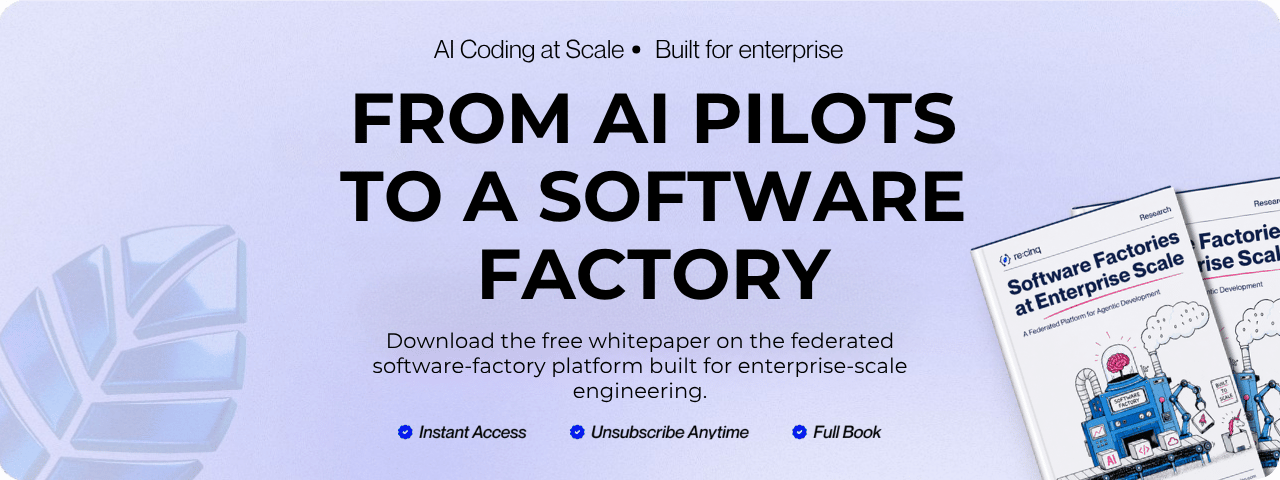
- Observability: I built a terminal dashboard that displays real-time metrics, including progress percentage, token usage, cost, and a live activity log. It even features a Nyan cat animation, because long-running tasks deserve entertainment.
What Ralph can actually do
We’re testing this at re:cinq to handle the repetitive grunt work that usually burns developers out. Here’s what we have "Ralph" working on:
| Job | What it does |
|---|---|
docs | Runs through the frontend codebase to generate exhaustive documentation. It’s the foundational step for AI reimplementation, ensuring no file is left behind. |
docs-improvements | Takes those raw docs and cleans them up. It strictly enforces the "4 Rules of Simple Design," turning rough output into standardized, readable artifacts. |
identify-redux | Crawls the codebase to identify legacy Redux and PHP endpoints. Instead of just listing them, it generates draft migration tickets so we know exactly what needs to be replaced. |
identify-any | A janitorial job that hunts down implicit any types and forgotten TODOs. It creates specific issue tickets with actual code suggestions for the fix. |
ai-routing-planning | We feed it raw meeting notes, and it turns them into a full sprint of structured Jira tickets. It’s like having a project manager who types at the speed of light. |
report | Creates health dashboards for non-technical stakeholders. This one is my favorite—so much so that it deserves its own section. |
Case study: the self-updating health report
One of the most impactful use cases is the Codebase Health Report.
The goal was to help non-technical stakeholders—product managers and executives—understand the state of the code without reading it.
Doc Loop crawls the repository and generates interactive HTML dashboards that explain technical debt in plain English, visualizing components, change velocity, and file evolution.
You can check out a live example here: Live Health Report
The magic: metrics without AI
Here is the secret sauce: the AI model doesn’t need to run to update the reports.
Claude generates the HTML structure and writes the JavaScript for the charts, but the actual data comes from shell scripts. The job includes an update-metrics.sh script that runs find, grep, and git log commands to collect current stats.
This means we can slot it into our CI/CD pipeline. Every time we merge code, GitHub Actions runs the script, updates the numbers, and deploys a fresh report.
We get continuous observability without spending a dime on API tokens.
Conclusion: surprisingly reliable
The biggest surprise hasn’t been that the loop works, but how reliable the results are.
When you ask the AI to generate a report based on data or algorithms defined in code, you gain a massive advantage in trust. Because the algorithms are simple and explicit, the results can be verified easily.
You aren’t relying on a black box to infer your project’s state; you’re using AI to build tools that measure it objectively.
Modern AI tooling often trends toward complexity, but the Ralph Wiggum Method proves that sometimes the best architecture is the dumbest one that could possibly work. It turns a mountain of tech debt into a self-solving problem.
Ralph would be proud.
Your next read
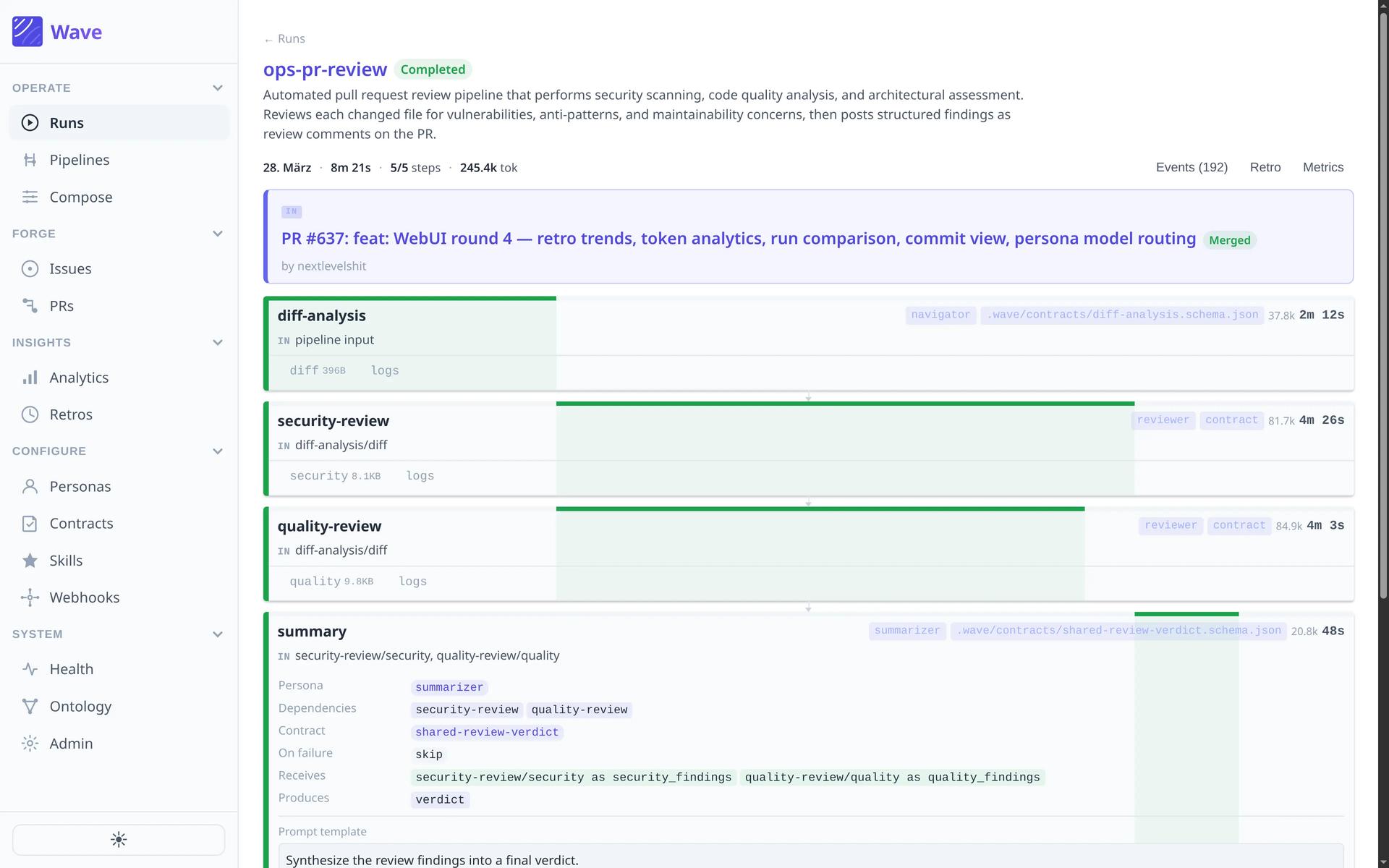
Wave: Bringing Determinism Back to AI-Assisted Development
Wave uses deterministic YAML pipelines with contract-based handoffs so quality checks run every time, instead of hoping the model remembers.
Michael Czechowski5 mins read

Subscribe to Our Bi-Weekly AI Native Newsletter
Lessons from our client work, engineering deep-dives, and the AI Native research worth reading.
Bi-weekly. No spam, unsubscribe anytime.

 20mins